Your Google Business Profile Menu Images Are the First Thing Customers See, But Are They Seeing Enough?
Google now supports up to 200 Google Business Profile menu images per location, giving restaurants and food-and-drink service brands the room to showcase their full offering and drive local discovery.



When was the last time you visited a restaurant or bar without glancing at the menu first? If you swing by a new place in your neighborhood, you'll check the menu before stepping inside. And when you're searching online, you'll have the added comfort of scoping out the menu images before making a reservation — I mean, the photos are all there, right there in the listing.
If you're running a restaurant, bar, hotel, or coffee shop, you know how much time goes into polishing and updating your menu (especially your seasonal ones) — and into the presentation of all your dishes. Your work deserves to be seen in full.
But until now, Google capped menu images at 80 per location. For businesses with large or seasonal menus, that meant:
- some of your important dishes didn't make the cut
- you had to regularly swap out seasonal items
- you constantly decided which images earned a spot on your profile
That's a lot of decision-making — and a drag on time you'd rather spend elsewhere.
Google has officially upped the limit to 200 menu images per location, giving food and drink operators the room to showcase their full menu and stop agonizing over what makes the cut. No more gaps between what customers see online and what they find when they sit down to order.
Why Are Menu Images Important for Local Listings?
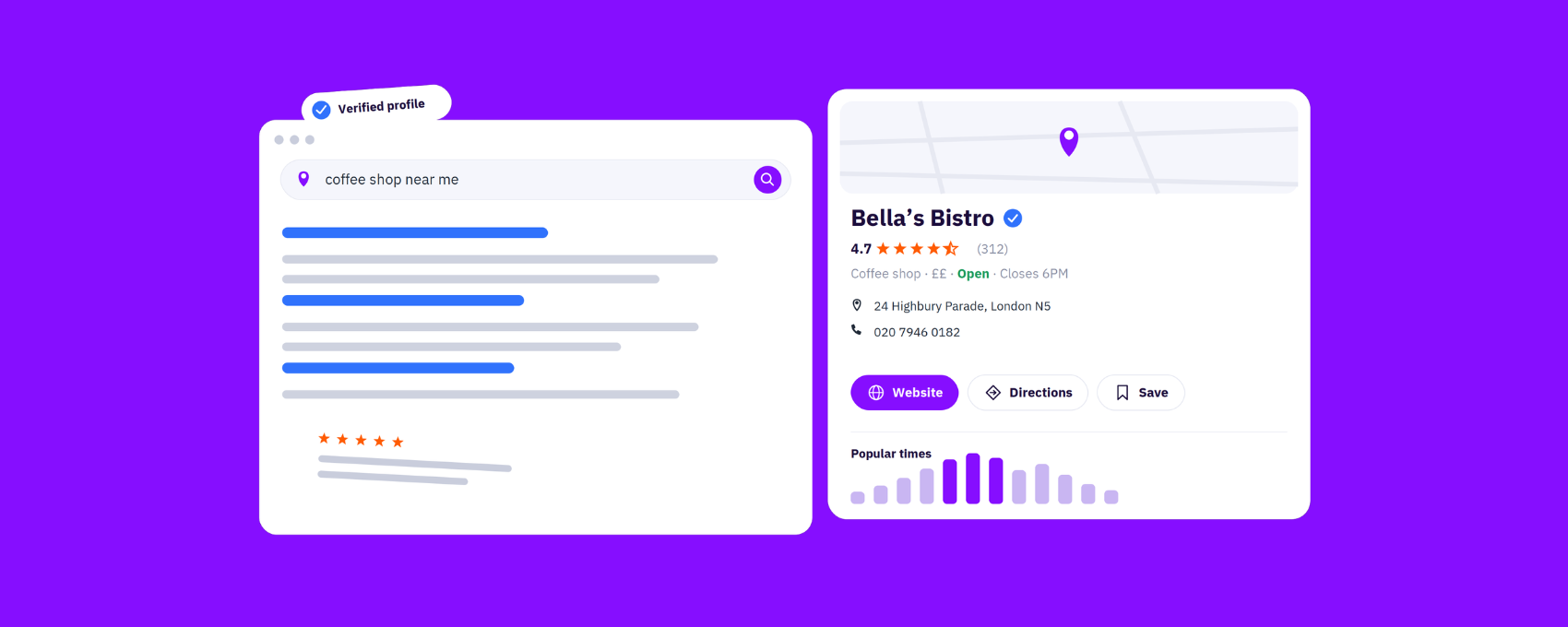
Consumers are creatures of comfort. We like to know what to expect. When we are looking for a place to eat in Google Maps, and we have all the info we need, there is very little friction involved.
- Location
- Opening hours
- Reviews
- Prices
- Menu
- Menu images
If we like what we see, there's little else to do other than pay that business a visit.
Having all your menu images directly on your listings eliminates the need for potential customers to go searching through your social channels after discovering you on Google.
When someone finds your business on Google, your menu images show up right in your profile — giving potential customers a visual taste of what you offer before they even walk through the door.

For restaurants, cafes, bars, and food chains, that visual first impression can be the difference between a physical visit and a scroll past to look at your competitors.
There's also the visual search element that local SEO teams need to pay closer attention to. The more context you provide — both textual and visual — the better consumers can understand your offering. And it's not just consumers: AI and search engines are reading those signals too. More images means longer visual browsing and greater GBP engagement, which drives higher intent.
When customers can see what you serve, they're more likely to choose you — and to know what they're going to order before they arrive.
Why Does the Increase to 200 Images Matter?
The jump from 80 to 200 menu images means 2.5 times more menu visibility on Google.
That could mean 2.5x more engagement with your Business Profile as consumers look through your images to gauge whether it's a good place to eat or drink.
Beyond your visibility and engagement, it also makes managing GBPs across multiple locations a lot easier — local managers can include more complete menus across every location and save time on manual prioritization.
Being able to upload menu images more freely and regularly, without shuffling constantly based on seasonality and popularity, will indicate to search engines and AI systems — and customers — that your business is making updates. In other words, you're active, recommendable or rankable, and ready to welcome new customers.
Your menu is just one piece of how each business location performs on Google. Optimizing your menu images sits within a broader Location Performance Optimization (LPO) strategy — making sure every element of your profile and brand presence across directories, from photos to attributes to business info, is working to drive discovery, engagement, and conversions at the local level.
Start Updating Your Google Business Profile Menu Images
If you're managing menus across dozens or hundreds of locations, this update was made for you. Google's expanded 200-image limit addresses one of the most common pain points for large restaurant and food-or-drink-service brands: not having enough room to properly do their complex, varied menus justice.
So, the update's live — what now?
1. Select the High-Quality Images That Best Reflect Your Menu
Quality matters as much as quantity. If you don't have good images of key menu items — say, your signature tuna tataki dish or your Lavender Haze Sour cocktail — Google may not feature those items in search results. And with 84% of people saying they've tried a dish because they saw an enticing photo, what your images look like really matters.
Besides sharp close-ups, use warm lighting, bright colors, and framing that highlights what makes each dish or drink appealing. Your customers have got to believe that browsing the photos of your dishes is the next best thing to eating them!
2. Upload the Menu Images in Your Listings Platform
Assign the right images to the right locations — especially if your menu varies by location or season.
If you're using our centralized listings management platform, there's nothing extra you need to configure. We support the expanded 200-image limit automatically, so existing menu clients can get uploading as soon as they're ready, without any additional setup.
And there you have it — your full menu imagery flows to Google across every location. Keep an eye on your profiles to make sure everything looks right; check that images are appearing in the correct order, nothing's missing, and your most important dishes and drinks are front and center.
3. Get Customers to Leave Detailed Reviews For Dishes
Here's a tip worth knowing if you don't already: If one of your dishes or drinks is a highlight (your tuna tataki or your Lavender Haze Sour), it's more likely to be mentioned in your profile reviews. And if it's mentioned in reviews, it becomes even more of a highlight — both for future customers browsing your profile and for search or AI engines picking up on what you're known for.
So make sure your highlights are getting the images and attention they deserve in your profile.
4. Track Your Results Through Google Business Profile Insights
Once your updated menu images are live, monitor the impact.
Are you seeing more profile views? More engagement with your photos? Have direction requests, calls, or reservations increased? These signals will tell you whether your visual menu strategy is working — and where to fine-tune it.
Don't Leave Money on the Table with Your GBP Menu Images
Don't rule Google's expanded 200-image limit out as just a technical update. Google is telling us that visual content is becoming central to how businesses are discovered locally.
For food and drink brands, this is an opportunity to finally present your full menu the way it deserves to be seen: complete, current, and compelling.
Whether you're managing a single location or hundreds, now is the time to revisit your menu images, fill the gaps, and make every item count. The customers searching for their next meal or drink are already looking — make sure what they find matches what you serve.



1,800 brands trust us to stay visible
— not just show up once or twice in local search.

.png)
