How to Make Sense of and Take Action with Your Local Marketing Data
Multi-location brands don't need more dashboards — according to SEO expert Karushna, they need clearer metrics, smarter reporting, and better alignment between HQ and local teams to turn marketing data into real decisions.


Marketing teams today have access to more data than ever before. Dashboards track everything from AI search visibility and GBP clicks to reviews and local social media engagement. In theory, this should make marketing decisions easier.
Yet in many multi-location organizations, the opposite happens.
Local managers rarely open the dashboards to which they have access. Corporate marketing teams struggle to compare performance between locations. Leadership teams receive reports full of numbers but still feel unsure where to invest their marketing budget next.
The problem usually isn't a lack of data; it's that the data doesn't easily translate into decisions.
Multi-location marketing sits in a strange middle ground, somewhere between centralized strategy and local reality. Unless companies design their reporting around that reality, even the most sophisticated analytics setup can become more confusing than helpful.
But when reporting reflects how performance actually varies across locations, that same complexity becomes one of the most valuable sources of insight a business has.
Why Marketing Data Gets Messy Across Multiple Locations
A single-location business can look at its local marketing data and draw fairly straightforward conclusions. Website traffic or local visibility goes up, bookings increase, and the team knows something is working.
That logic starts to break down when a company operates across dozens or hundreds of locations.
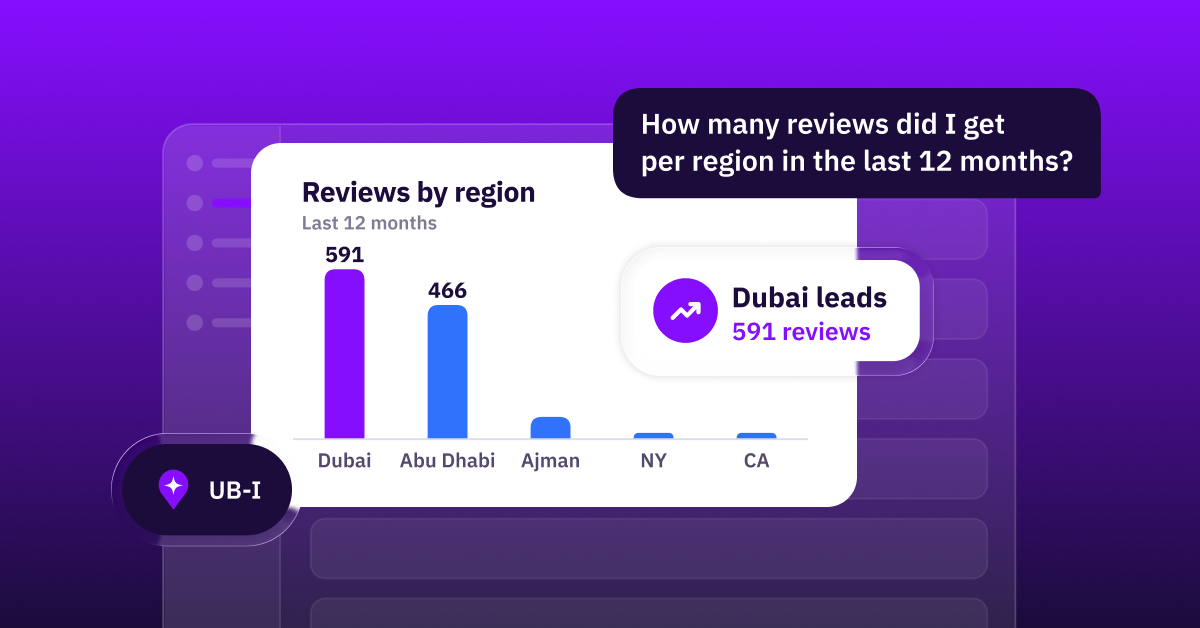
Each location behaves a little differently. A clinic in a main urban area might generate far more searches than the same clinic in a smaller town. A restaurant in a tourist district might receive hundreds of reviews a month, while another location just outside the city gets only a handful.
Those differences don't necessarily mean one location is performing better than the other; they simply reflect different local markets.
On top of that, local marketing data usually comes from several different places. Traditional search platforms show visibility and impressions. Review platforms reveal reputation trends and customer sentiment. Website analytics track visits and conversions. Internal systems might measure bookings, calls, or appointments.
By the time all of that information is pulled together into a single report, it's easy to lose the original question the data was supposed to answer: Which actions can I take to drive higher ROI or revenue across our locations?
That's why many multi-location brands end up with impressive dashboards and analytics that very few people actually use.
The Dashboard Trap
When organizations notice that data feels messy or inconsistent, the instinctive reaction is often to build more dashboards.
New reports are created. Metrics are added. Teams begin tracking dozens of indicators across locations, impressions, clicks, rankings, review counts, engagement rates, and more.
At first glance, this feels like progress.
But in practice, more dashboards rarely solve the problem. They simply create more numbers to interpret and more decisions to make.
The real issue is that many reports aren't tied to decisions. Teams collect metrics because they're available, not because they answer a specific question.
For example, a company might track search impressions across all locations. That number may increase over time, which looks positive in a report. But unless the team understands how those impressions translate into actual customers, it's difficult to know whether anything meaningful has improved.
When reporting becomes detached from decision-making, data slowly turns into background noise.
The Difference Between Global and Local Metrics
One of the most useful shifts multi-location brands can make is separating metrics into two categories: global metrics and local metrics.
Both are valuable, but they serve different purposes.
Global Metrics: Understanding Brand-Level Performance
Global metrics help corporate teams understand how their brand is performing overall. These indicators should be relatively consistent across locations and useful for spotting larger trends.
Examples might include:
- Overall customer rating across locations
- Review sentiment trends over time
- Accuracy of location data across directories
- Brand search visibility across regions
These metrics help leadership understand whether the company's location presence is improving or declining.
They are particularly useful for strategic planning, identifying reputation issues, spotting regional differences, or understanding whether brand visibility is growing — particularly in AI search.
However, they rarely explain what is happening inside a specific location.
Local Metrics: Understanding What Drives Customers
Local metrics operate at a different level. They focus on the actions customers take when interacting with a specific location online.
These indicators are often much more practical for location managers.
Examples include:
- Calls to a specific location
- Direction requests or map interactions
- Appointment or booking inquiries
- Review response time
- Local customer engagement with listings
Unlike global metrics, these numbers can point directly to operational improvements. A location receiving frequent customer questions in reviews may need better communication. A location with many views but few calls may need to improve how its services are presented.
The key is recognizing that these numbers should rarely be compared blindly across locations.
A busy downtown store will naturally generate more activity than a rural location. That difference reflects local demand, not necessarily better marketing.
How Do You Turn These Reports into Real Decisions?
Once companies start distinguishing between global and local metrics, the next step is making sure those metrics actually support decisions.
One simple way to approach this is to ask a basic question for every metric in a report: What action should this number influence?
For instance, if customer ratings begin declining across multiple locations, leadership may need to investigate service quality or reputation management processes. If specific locations receive unusually high search visibility but low conversions, marketing teams may need to examine how those locations present their services online.
When reports are structured around these kinds of questions, the data becomes much more useful.
Another helpful practice is simplifying reporting. Instead of tracking dozens of indicators, many organizations benefit from identifying a small set of core metrics that genuinely reflect performance.
These core metrics don't need to capture everything; they just need to highlight what matters most — which is often revenue.

Build Trust Between Your HQ and Local Teams
Even well-designed reports can fail if the people receiving them don't trust the numbers.
Local managers often feel that corporate dashboards don't reflect the realities of their day-to-day operations. When reports arrive without context, they can feel more like evaluation tools than helpful insights.
This is where communication becomes just as important as analytics.
Corporate teams should explain why certain metrics are tracked, how they're calculated, and what they're meant to show. Inviting local managers into conversations about reporting can also reveal insights that corporate teams might miss.
In many cases, location managers understand their local market far better than anyone reviewing a dashboard from headquarters.
When data becomes a shared resource rather than a top-down scorecard, teams are much more likely to use it.
Simpler Local Marketing Data Leads to Better Decisions
Marketing teams often assume that becoming more data-driven means collecting more data.
In reality, the opposite is often true.
The most effective multi-location organizations tend to focus on a smaller number of clear, meaningful indicators. They distinguish between brand-level trends and location-level performance. Most importantly, they design their reporting around the decisions they actually need to make.
When marketing data is structured with that kind of clarity, it stops being something teams simply report each month.
Instead, it becomes something they rely on, a practical tool that helps both corporate leaders and local teams understand what's working, what isn't, and where to focus next.



1,800 brands trust us to stay visible
— not just show up once or twice in local search.