Your Google Business Profile Categories Haven’t Changed Since Setup, But Their Audience Has
Google categories and attributes have changed jobs: they are now the structured facts AI search reads when deciding whether to recommend you. Here is how to manage them — per location, at scale.


Key takeaways
- Google Business Profile categories and attributes are structured data that both Google's local ranking algorithms and AI search tools read
- Google allows one primary category and up to nine secondary categories per profile
- Your primary category determines which attributes are even available to you
- At multi-location scale, teams must catch conflicting or inaccurate categories between locations, reviewing Google’s automatic edits before they go live
"Navigating Google's labyrinth of changing guidelines can be challenging for businesses with just one location. That obstacle grows exponentially when you scale to multiple locations. For this reason, businesses need specialist help and advocacy when raising their case with Google. At Uberall, our team of ex-Googlers, Product Experts and Professional Services Team all work together with Google to escalate any issues with escalation, support and resolution."

When multi-location brands audit their online presence for the first time, the results are rarely healthy. It would be quite impressive if they were.
One automotive services brand we spoke with recently discovered close to 3,000 profiles across its network that were incomplete, inconsistent, or completely unmanaged — and nobody at headquarters could say with any ounce of confidence which categories were chosen by half of their estate.
The profiles existed — and that was the extent of their knowledge.
In 2024, when we first published this guide, categories and attributes were among the most decisive local search ranking factors — important, but one factor among many.
In 2026, they’re also the structured facts that AI Overviews, AI Mode, and AI assistants read when generating an answer — or a local business recommendation. So when a wrong primary category used to mean ranking lower, today it can mean being omitted from answers.
And omission is understandably a nightmare for multi-location marketing teams — according to our GEO playbook, more than 2 in 3 brands are missing from AI recommendations in their category, and 88% suffer inconsistent business information across AI models. This comes down to the simple fact that there's no well-maintained business location data available for search systems to read in these cases.
Google Business Profile categories and attributes are two of the few fields teams fully control, which makes them the obvious place to start.
What Are Google Categories?
Google business categories are the labels that tell Google what your business is. You choose one primary category — your core business activity — and up to nine secondary categories that describe additional offerings.
The best rule of thumb for a category vs a service/product is the following:
- If a business is X, that X is a category (a restaurant)
- If the business has a Y, that Y is an attribute (delivery service)
Primary categories might include: restaurant, café, supermarket, pharmacy, hairdresser, dentist, veterinarian, lawyer, financial advisor, real estate agent, gas station, auto repair shop, gym, electronics store, clothing store, hospital, childcare, school.
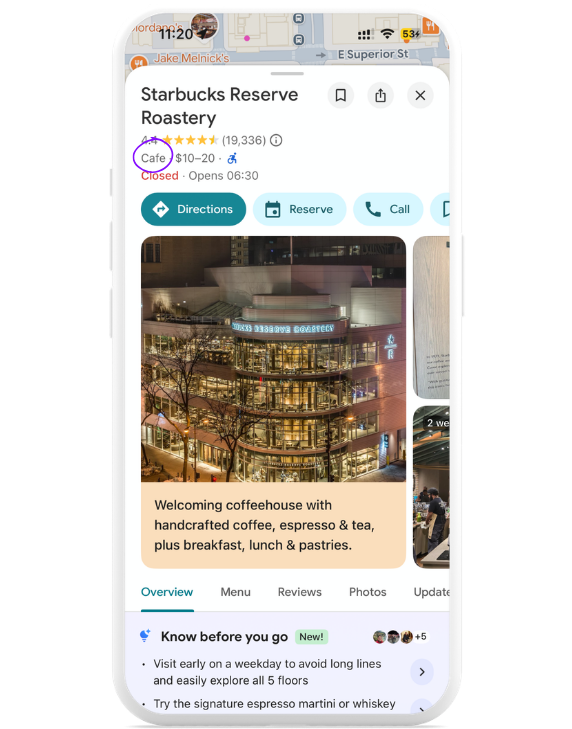
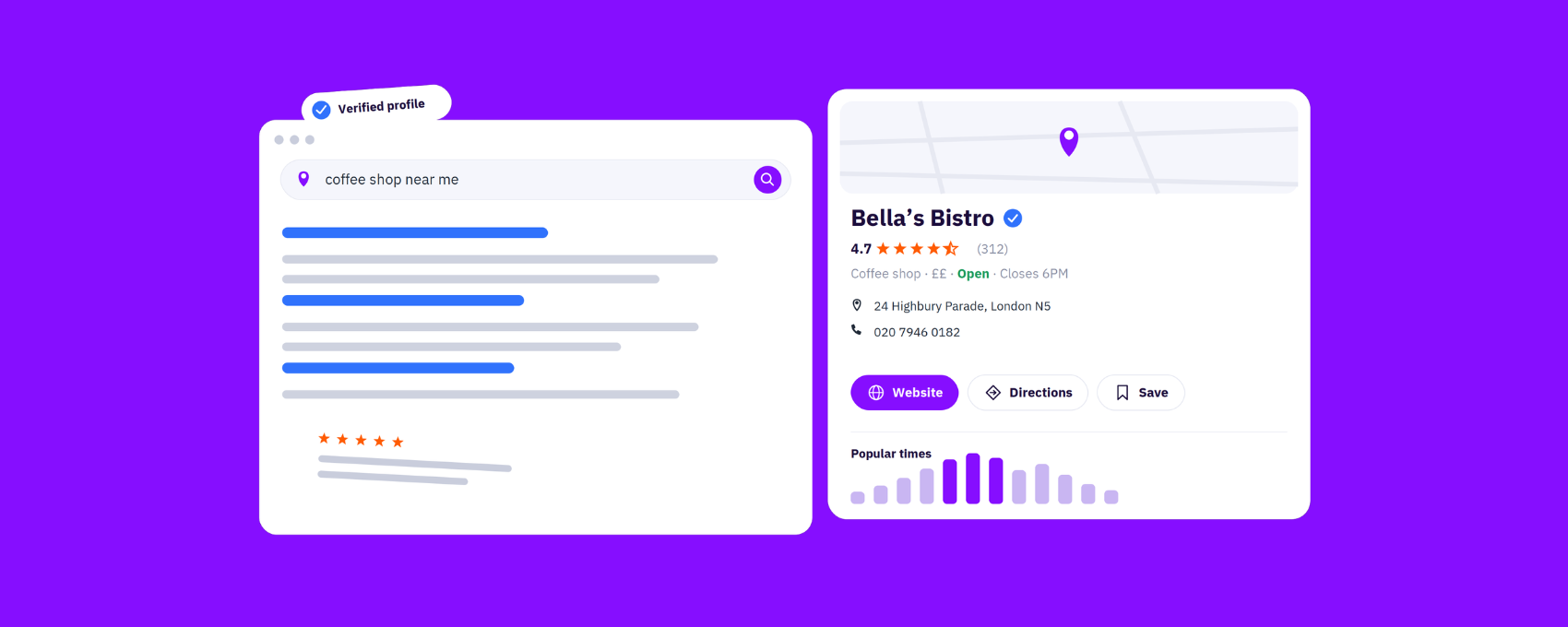
Your primary category appears (quite subtly) at the top of your profile on Google Maps (see below).
Then you have secondary categories, which provide search systems like Google with extra context beyond the primary category. Some businesses have been caught "category stuffing," hoping that they'll extend their reach and rankings by doing so, but in reality, these extra categories just dilute local relevance when customers search for a specific business or service — and it actually just makes it harder for Google and presumably AI systems to understand what those businesses actually do.
Secondary categories might include: pizzeria, catering, takeaway restaurant, vegan restaurant, clothing store, sporting goods store, shoe store, electronics store, wedding photographer, pediatrician, physiotherapist, tax consultant, boutique hotel, hostel, resort, business hotel, bed & breakfast
If you're wondering how to "strategically" choose GBP categories — how many to add and how to avoid category stuffing — pick only the most relevant to your business. Google's own advice is to select a specific category that represents your main business, not what it sells or offers occasionally.
Here are some more guidelines I've taken straight from Google:
- Do not use categories solely as keywords or to describe features of your business
- Do not use categories that match other nearby or related businesses. Example:
- A business that’s located inside your business's physical location
- Another business that your business is located inside.
Our Principle Solution Engineer and Google Business Profile Platinum Expert Ehab Aboud clarifies these Google guidelines further: "Don't use categories that match nearby or related businesses IF they don't represent the parent business. For example, you can have a clothing store inside a clothing store, but one might be for kids, and the other might be for everyone (including kids)."
Let's take the coffee shop example above. It can safely run "Cafe" as primary and maybe "Bakery" or "Brunch restaurant" as secondary — if it also sells baked goods and offers brunch-type items on its menu, of course. It would be daft if the team suddenly added "Event venue" as a secondary category because it once hosted an afterwork networking event.
I’ve obviously been quite granular with this example, but you can see just how clear businesses have to be when setting and maintaining the right category for one location, let alone for 10, 1,000, or 10,000 locations. To add to this complexity, Google has been known to override or revert categories based on what it can read about your business online — for example on your website, Facebook page, Yelp profile, etc. It may, in some cases, assign you a category it finds more relevant.
And that's where it usually gets sticky for most multi-location brands — when they make the smallest change (for example, opening hours) to their listings, Google now does an integrity check against the entire profile to make sure it's right. This is partly because some fields relate to others. For example, a law firm is very rarely 24 hours. Google knows this and accounts for it.
The problem is that businesses get caught out from this because they have the wrong setup, and often this is due to unclear or conflicting categories.
A listings management platform makes this scalable by ensuring there's one source of truth for every category and attribute across every location, and teams can review what's actually live, catch inconsistencies, and push corrections in bulk instead of editing profiles one by one.
What Are Google Attributes?
Google Business Profile attributes are the highly identifiable details you share with potential customers and Google or AI systems about the on-site customer experience. These typically include:
- Service: curbside pickup, reservations required, online orders
- Access and comfort: wheelchair accessibility, parking, free Wi-Fi
- Payment: card payment, mobile payment systems
- Identity: women-owned, veteran-owned, and similar designations
- Industry-specific: outdoor seating, delivery, takeaway, pets allowed, vegetarian options, electric charging stations
Attributes appear on your GBP on Google Search, Google Maps, and other Google products and services — and your business might show up in search results when people search for places with those attributes specifically.

The attributes available to you depend on the primary category you’ve chosen.
That means if you pick "Restaurant," you'll see attributes like outdoor seating and vegetarian options. If you pick "Gas Station," you'll see car wash and EV charging instead.
Note: Attributes can change over time — WhatsApp and SMS attributes, for example, represent Google’s proactive efforts to help businesses grow and engage with their customers.
So, make sure you regularly check which attributes are available and relevant to your business — Google updates them more often than you'd think.
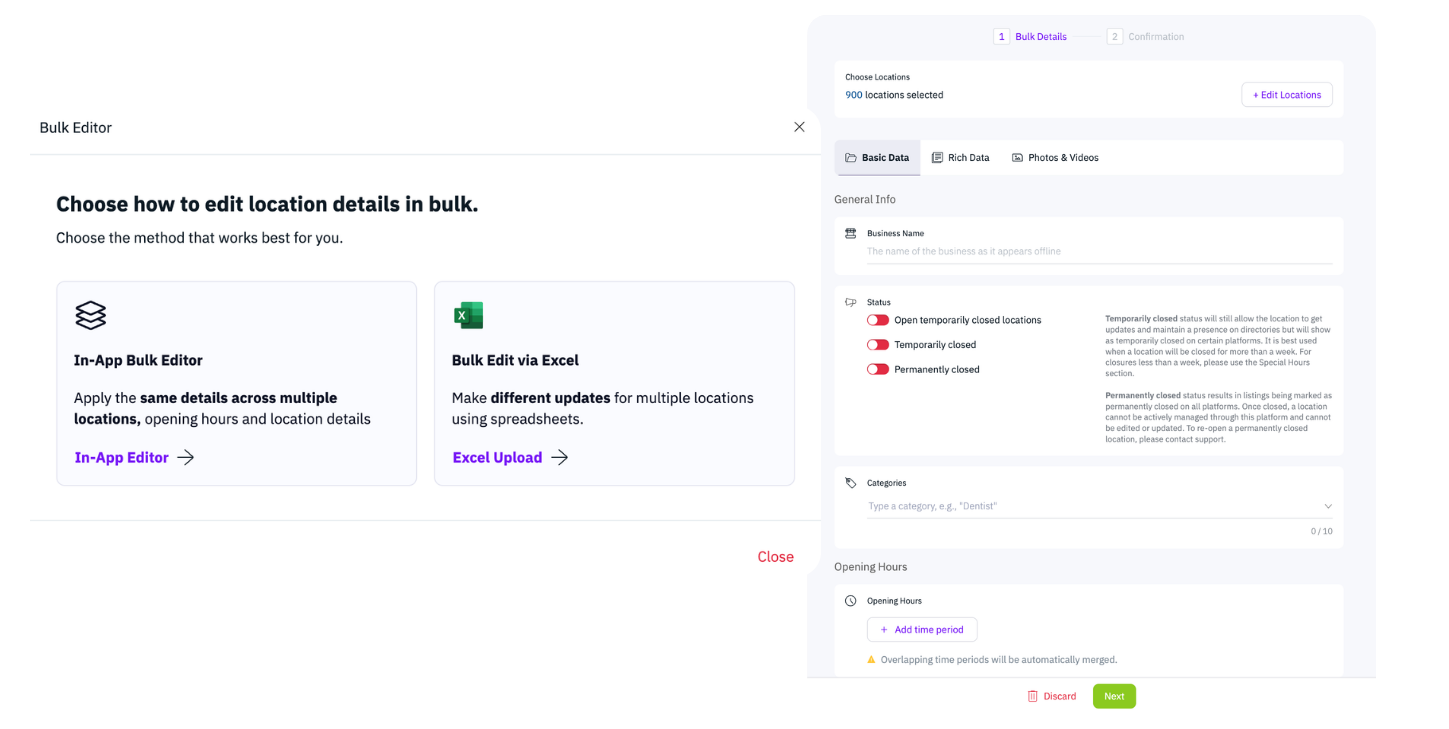
If you’re looking for a step-by-step on how to actually add categories and attributes to your profile, Google’s own material covers this pretty well. If you’re managing multiple locations, Uberall lets you set and update categories and attributes in bulk — it’s the same change, rolled out across every location in one go, instead of editing profiles individually through Google.
What I really want to get into, though, is why clean and accurate categories and attributes across hundreds of locations could make all the difference in foot traffic and revenue.
Category and Attribute Data Help AI Understand Your Business
When someone asks an AI tool — whether that’s Google AI Mode, ChatGPT, or anything else — for "a pharmacy near me that's open Sundays and wheelchair accessible," that answer is built from structured location data: your categories, your attributes, your NAP, internal taxonomy from photos and videos — as well as their captions.
Google confirmed this directly in its May 2026 AI search guidance: AI features in Search draw on the information provided in Google Business Profiles when recommending local businesses.
This is why practitioners in local search now treat categories and attributes as part of AI visibility, not just local SEO. What multi-location brands should be doing right now is auditing their listings to find out what categories and attributes their locations are actually running today.
Attributes are a conversion factor too. When a potential customer sees that your location offers exactly what they need (parking, outdoor seating, contactless payment, delivery), that's often the detail that turns a search into a visit. The more complete and accurate your attributes are, the less reason someone has to keep looking.
That brand with 3,000 unmanaged profiles wasn’t necessarily careless — it was like most enterprise brands. It grew rapidly, while nobody’s job was to keep location data managed at scale. That’s pretty hard to survive today, when AI systems are building recommendations from clean and consistent data.
In nearly every conversation we have with multi-location brands, the same question comes up within minutes of categories and attributes appearing on screen: "Do we have to manage this per location?" One marketer we spoke to described it as a nightmare to update and maintain. They’re right, and it usually comes down to three things:
- Category inconsistency: Locations get set up by different people at different times, and a network that was supposed to run one consistent primary category ends up running five variants of it.
- Google’s automatic edits: As I explained above, Google increasingly applies its own suggested changes to GBP attributes, and without monitoring, those edits go live without teams receiving a notification.
- Local changes: A franchisee, member of the public or location manager updates something that makes sense locally and breaks consistency across the network.
There’s a caveat to making changes at scale, though: Switching a primary category can trigger Google to demand video reverification across every location — even dozens at once — which is a nightmare for local staff. Working with a platform like Uberall helps in two ways: Our in-house GBP expertise means we can often help brands avoid triggering these situations in the first place, and when issues do come up, our direct partnership with Google gives us escalation pathways that aren't available through standard support channels.
{{quote}}
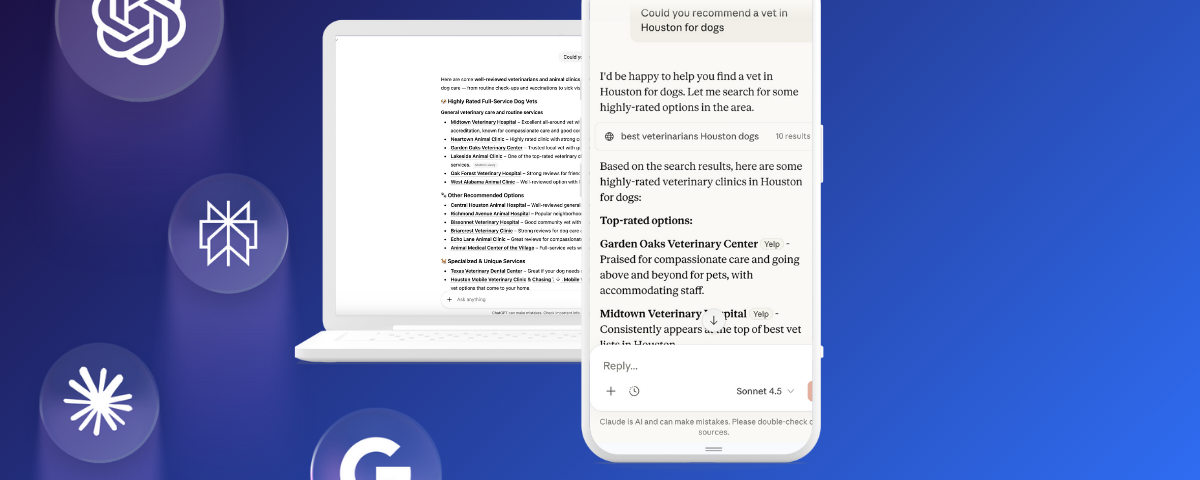
Here’s something worth doing regardless: Search for your own categories and attributes in ChatGPT, Gemini, or Perplexity — or whichever tool you prefer. See which local businesses come up. Look at how they describe themselves online, how they position themselves on their own website, how their profiles are optimized, where they're being mentioned on third-party sites. Investigate their digital footprint. That's one way of doing a quick competitive audit for AI search and it takes about ten minutes.
Changed Your Category Quickly? Now Do It 500 Times, Really Fast!
The trick to maximizing search visibility is treating category and attribute data as governed, centrally managed fields rather than per-profile settings.
With one source of truth, bulk updates across the network, alerts when Google suggests or applies an edit, and locked fields where consistency is nonnegotiable — things won't get messy and unmanageable, and search systems won't get confused about your business.
Remember: More than 2 in 3 brands are missing from AI recommendations, and 88% have inconsistent business information across AI models. If yours are wrong, this is fixable, and if you don’t know whether they’re wrong, that’s where you start.
This hasn’t changed since the first version of this article: Categories and attributes only drive results when your business information is accurate everywhere, which is what a location marketing layer across 150+ directories is for.


1,800 brands trust us to stay visible
— not just show up once or twice in local search.


.png)

Frequently asked questions
A Google business category is the label that tells Google what your business is — a restaurant, dentist, or auto repair shop, for example. Every Google Business Profile has one primary category for your core activity, plus optional secondary categories for additional offerings. Categories are one of the few fields you fully control, and they’re among the most decisive signals Google — and now AI search — reads to decide which searches your locations should appear for.
A Google Business Profile can have one primary category and up to nine secondary categories — ten in total. The primary category should reflect your core business; secondary categories add context for additional services. Resist "category stuffing," though: piling on loosely related categories dilutes your local relevance and makes it harder for Google and AI systems to understand what you do. Pick only the categories that genuinely describe your business.
The difference between a Google category and an attribute comes down to what your business is versus what it has. If a business is X, that’s a category (a café). If it has Y, that’s an attribute (outdoor seating, delivery, wheelchair access). Categories define your core identity for search; attributes describe the on-site experience. Both are structured data Google and AI tools read — and the attributes available to you depend on your primary category.
Google Business Profile attributes are the specific details that describe your on-site customer experience — things like curbside pickup, free Wi-Fi, wheelchair accessibility, card payment, women-owned, or outdoor seating. They appear on your profile across Google Search and Maps, and your business can surface when people search for those features specifically. The attributes available to you depend on your primary category, and Google updates the list more often than you’d expect.
Google doesn’t publish one official public list of every business category or attribute. You see the categories and attributes actually available to you inside your Google Business Profile — and which attributes appear depends on your primary category.
To choose your GBP categories, start with the single primary category that best represents your main business. Google’s own advice is to pick what your business is, not everything it occasionally sells. Add secondary categories only where they’re genuinely relevant. Good GBP category optimization is about precision, not reach: the tighter your categories, the more clearly Google and AI search understand you, and the better you match high-intent local searches.
Google Business Profile categories are one of the most important ranking signals you control. Your primary category has a significant impact on which local searches you appear for. In 2026 that importance goes further: Google has confirmed that AI features in Search draw on Business Profile information when recommending local businesses. So a wrong primary category no longer just lowers your ranking — it can leave you out of AI answers entirely.
You change your Google business category in your Business Profile, or in bulk across locations with a listings platform like Uberall. Two cautions: Google may override your category based on what it reads about you online, and changing a primary category can trigger reverification — sometimes video — across locations. For multi-location brands, governing categories and attributes from one source of truth like Uberall prevents drift and conflicting edits at scale.