Why Have My Google Business Profile Views Dropped?
You might have noticed that your Google Business Profile (GBP) views are down, like half of what they were just a few months ago.


(Hint: Google’s Business Performance API Update)
You might have noticed that your Google Business Profile (GBP) views are down—I mean way down—like half of what they were just a few months ago. In fact, comments like this are flooding local search forums:
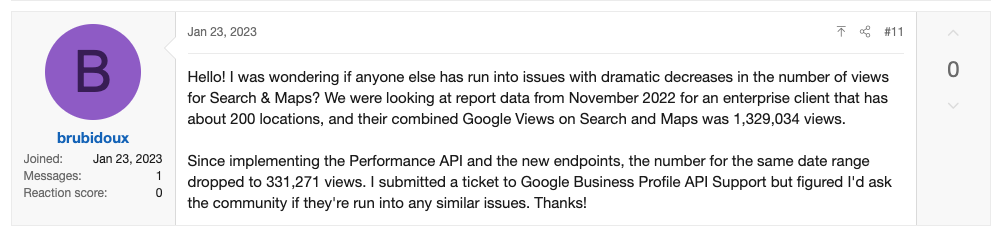
We wanted to put out a quick post to encourage everyone to push pause on the panic button. Google didn’t make a drastic change to their algorithm that reduced your visibility overnight, they simply changed the way they are counting GBP views on Maps and Search. This is a change that is tied to their latest Business Performance API update … and it’s a good thing.
What changed in the way Google measures views?
Google recently changed the way they track profile views on GBP and there are two core reasons why your numbers could look lower than previous months and years. Instead of showing all user views of a business, now multiple user views over a 24 hour period count as a single unique impression. Additionally, on maps, Google was counting the number of times a user viewed your business. This is now only counted when a user views your business profile. This means only a percentage of views are actually being reported compared to previous reports.
To put this into perspective, let’s say I'm doing some Google research for an upcoming road trip and I happen to see the same gas station 10 times. It might have shown up as a pin on a map with 20 other gas stations or appeared in a Google 3-Pack result. Based on the way Google tracked views previously, those views would be counted 10 times, even though I have no intention of doing business with that company more than once. To better understand this metric, here are a few helpful definitions:
- How Were “Views” on GBP Previously Counted?
A Google Business Profile view previously meant that a business profile appeared somewhere on the user's screen while they were browsing Google Search results or Google Map results. This could be as minor as a map pin along with 25 other businesses or a local pack search result.
- How Are “Views” on GBP Counted With the New API?
With the new API, a Google Business Profile view is essentially a “unique user view,” which is the number of times your profile was seen by a unique user over a single day. It doesn’t matter if the user saw your business profile once or a dozen times, it is still only counted once. In other words, the total number of unique views is equal to the number of people who saw your profile that day.
With the previous view metric, each business shown in this screenshot used to count as a map view.
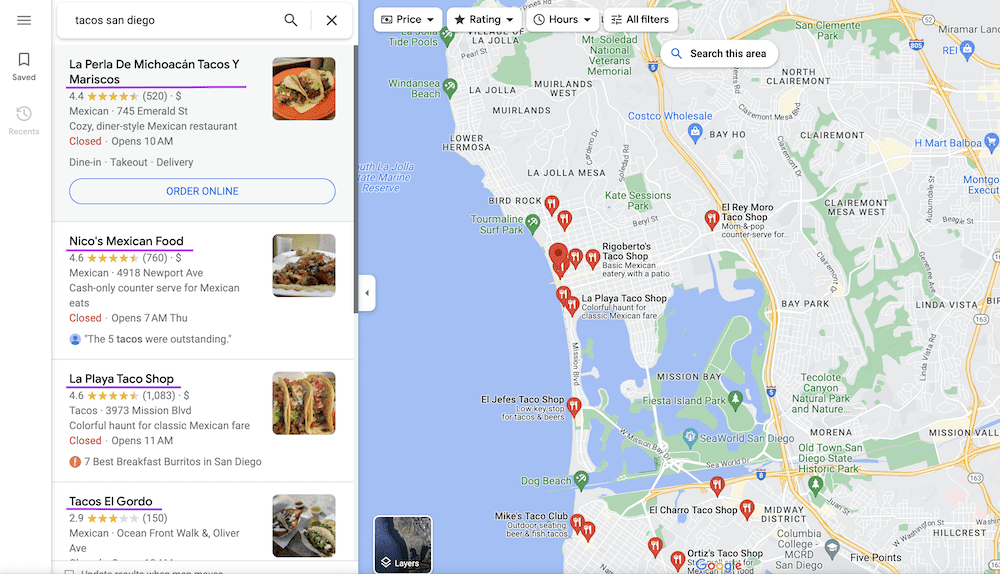
With the revised map view metric, only views to your Business Profile, not just your business, counts as a map view.

In addition to the change in how Views are measured, Google has recently made a change to how they count Driving Direction clicks.
- Direction requests: Number of unique customers who request directions to your business. We changed how we tally unique direction requests to account for things like multi-tapping, direction request cancellation, and spam. We expect the new direction requests metric to more accurately represent the number of times individual customers request directions to your business. We're still experimenting with the new version of the metric, so the old one is still available on the Business Profile Insights page.
Why Does This Change in GBP View Counts & Driving Directions Clicks Matter to My Business?
While views vs. unique views may seem like a minor detail, it’s actually a significant change that allows businesses to get a deeper understanding of intent by user. This change lines up with other performance tracking insights Google is making with its latest Business Performance API update. Here’s what you need to know:
New Trackable CTAs Offer More Insights Into User Behavior
The Business Performance API now allows businesses to track key Call-to-Actions (CTAs) that they couldn't before. On a daily basis businesses will now see insights on:
- *NEW* Business bookings - The number of bookings received from the business profile
- *NEW* Food orders - The number of food orders received from the business profile
- Call clicks - The number of times the business profile call button was clicked
- Website clicks - The number of times the business profile website button was clicked
- Request for directions - The number of times a direction request was requested from the business location
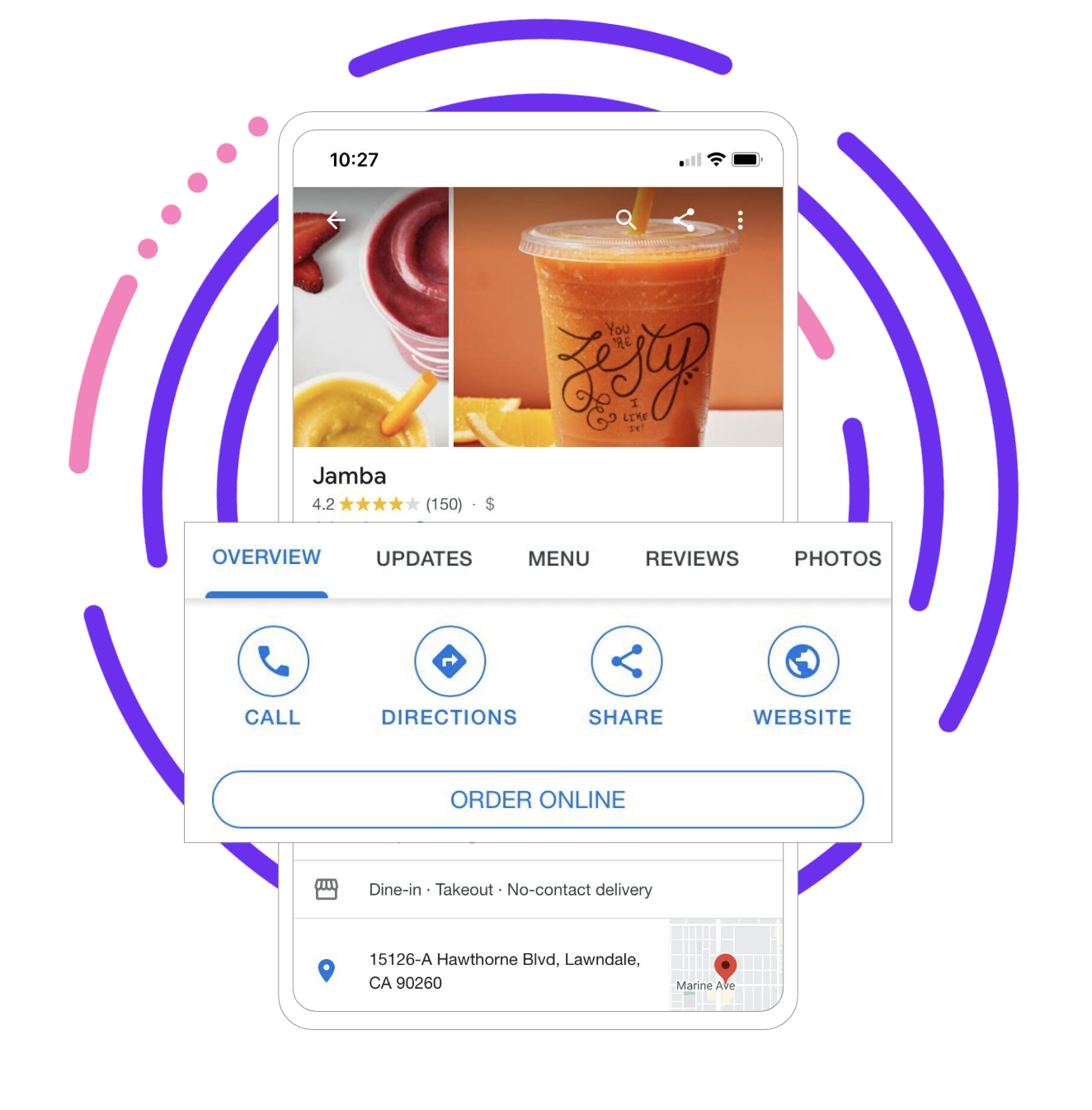
This CTA tracking combined with unique impressions allows a business to get a better understanding of the click-through-rate (CTR) by user — in other words, how many unique users actually clicked through to make a booking, order food, request directions, etc.
Another new daily metric businesses will be able to track is “business conversations,” which will show the number of message conversations received on a business profile each day.
Location Search Keywords Open Up New Optimization Opportunities
One of the more significant and highly anticipated Business Performance API endpoints is location search keywords. This means businesses will be able to track which local keywords were used to find a business profile.
This change is significant for SEO professionals who are getting limited keyword data through Google Analytics, especially as the “website” action button is being suppressed more frequently in the search engine results pages. This is especially true for retailers and restaurants, where Google is putting more emphasis on images.
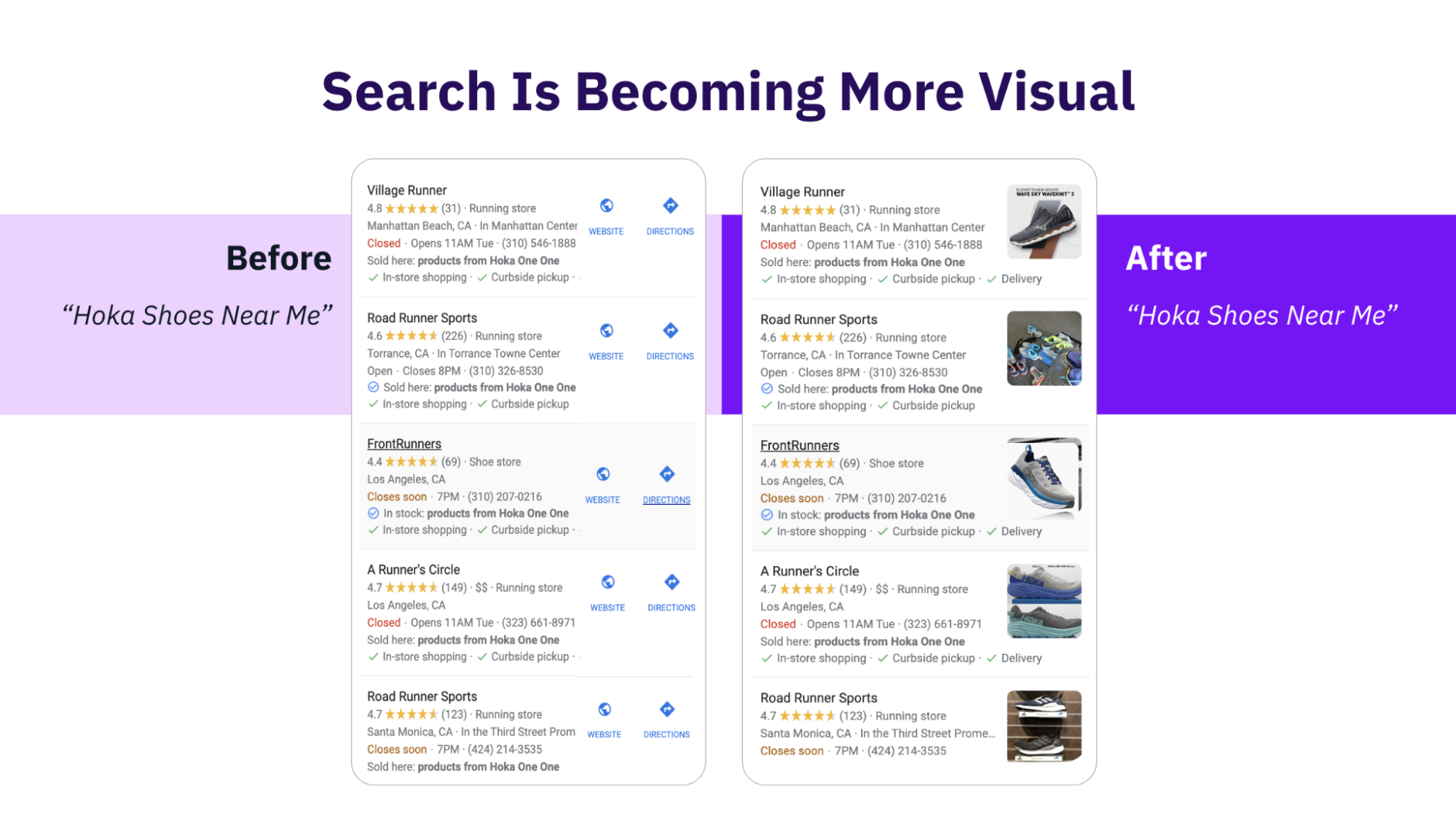
This new location search keyword tracking capability opens up enormous opportunities for businesses to identify new keywords that may be driving traffic to their profile listings. We anticipate that multi-location businesses will have even greater insights with the ability to compare top keywords by location to identify some untapped opportunities.
For example, consider a coffee shop, it is possible that one location could be ranking higher for something like “breakfast sandwich,” while another location isn’t even showing this keyword in their top list. By digging into what a particular location is doing to rank higher for a competitive keyword, businesses can gain clues to help other locations optimize their profiles for the same keyword.
There are endless possibilities for how these new API endpoints can be used and we look forward to digging in deeper with our clients to explore ways to add value with this significant new update from Google.
You can learn more about the business performance API daily location metrics here. And the location search keyword metrics here.


1,800 brands trust us to stay visible
— not just show up once or twice in local search.

.png)
