How to Get AI Tools to Recommend Your Black Friday Deals Across Locations
Get your locations ready for Black Friday. Boost visibility, engagement & conversions in the era of AI search with these smart local marketing tactics.


Key takeaways:
- Publish one crawlable deals page with a stable URL, product names, regular and sale prices, and end dates before AI tools read it again
- Track the conversational questions shoppers ask AI, such as which retailer has the best deals on a 65-inch TV, across several AI models
- Check what AI says about your shipping times, prices, and stock, then fix wrong answers at the source

A shopper opens an AI tool and types, “Which retailer has the best Black Friday deals on a 65-inch TV?” Instead of visiting ten retailer sites, she reads one answer with a few names in it.
As Christian Hustle, AI Search Evangelist at Uberall, said in our recent Uberall webinar: “I don’t want to go through every single one of the websites of retailers to compare. I want AI to do that, so go shop, go compare, come back, and give me what’s the best deal.”
The tool then picks a handful of names to recommend, and the stores it leaves out don’t appear anywhere in the answer.
Erez van Ham, GEO General Manager at Uberall, says that if you’re not among the top one, two, or three recommendations in an AI response, “You’re not found. You’re zero. You are invisible.”
Retail teams already control part of what AI tools read to build that answer — the information on deals pages, product pages, and product feeds they send to Google Shopping. You can still influence those answers before shoppers arrive.
If a shopper asked their favorite AI tool about your Black Friday or general holiday deals this afternoon, would it find a page on your site to answer from?
Give Every Deal a Page AI Can Read
Christian’s first rule for Q4 is one dedicated deals page for Black Friday and each holiday promotion you run after it, on a URL that stays the same through the season. Every time the URL changes, you “break” what AI tools have already learned about that page.
The page itself needs to be plain HTML. A carousel with animations can look great to a shopper and still show an AI assistant nothing, so Christian’s advice is to stick to the basics and write the offer out in text:
- Product names, with the regular price next to the sale price
- The dates the sale starts and ends
- Links to the deals page from your homepage and from each category page it covers
- Product and offer schema on the product pages
- Current product feeds for Google Shopping and any other marketplace you sell on
One file you can skip is llms.txt. Christian says the very large brands he has talked to tested it, and he has never seen a case where it helped.
Before you measure anything, audit your current standing in terms of AI visibility. In GEO Studio, filter to your Black Friday prompts — things like “best Black Friday deals near me” or “where to find holiday discounts on [your category]” — and check how many AI responses mention or cite your brand versus competitors. Without a starting number, you can’t tell whether anything you did actually worked.
Track the Questions Shoppers Actually Ask This Season
“Black Friday TV deals” queries are more specific, more long-tail. Christian’s examples of this are “which retailer has the best Black Friday deals on a 65-inch TV?” and “what’s the best laptop under $800 for working from home?”
Both are full questions about one specific case, so any top deals page has to fully address this query to have any chance of being recommended.
Christian groups the prompts worth tracking into four themes:
- Product discovery (“What’s the best 65-inch TV under $800 for Black Friday?”)
- Gift recommendations (“What should I get my dad who’s into grilling for under $150?”)
- Retailer comparison (“Should I buy the Dyson V15 at Best Buy or Target this Black Friday?”)
- Local discovery (“Which stores near me have Black Friday deals on running shoes?”)
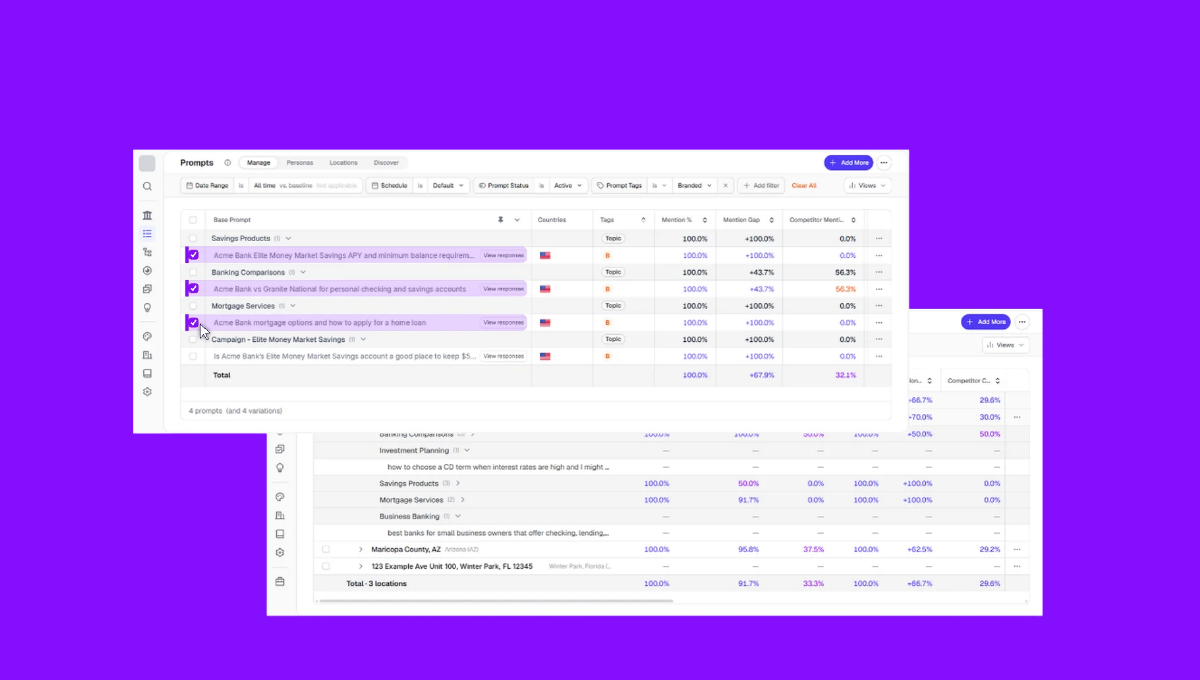
In GEO Studio, you enter the topics you care about and it generates prompts for each one, which you can edit or replace with your own. The Discover tab adds a second source by collecting how people talk about a topic in public discussions and video comments, and you can turn what it finds into prompts.
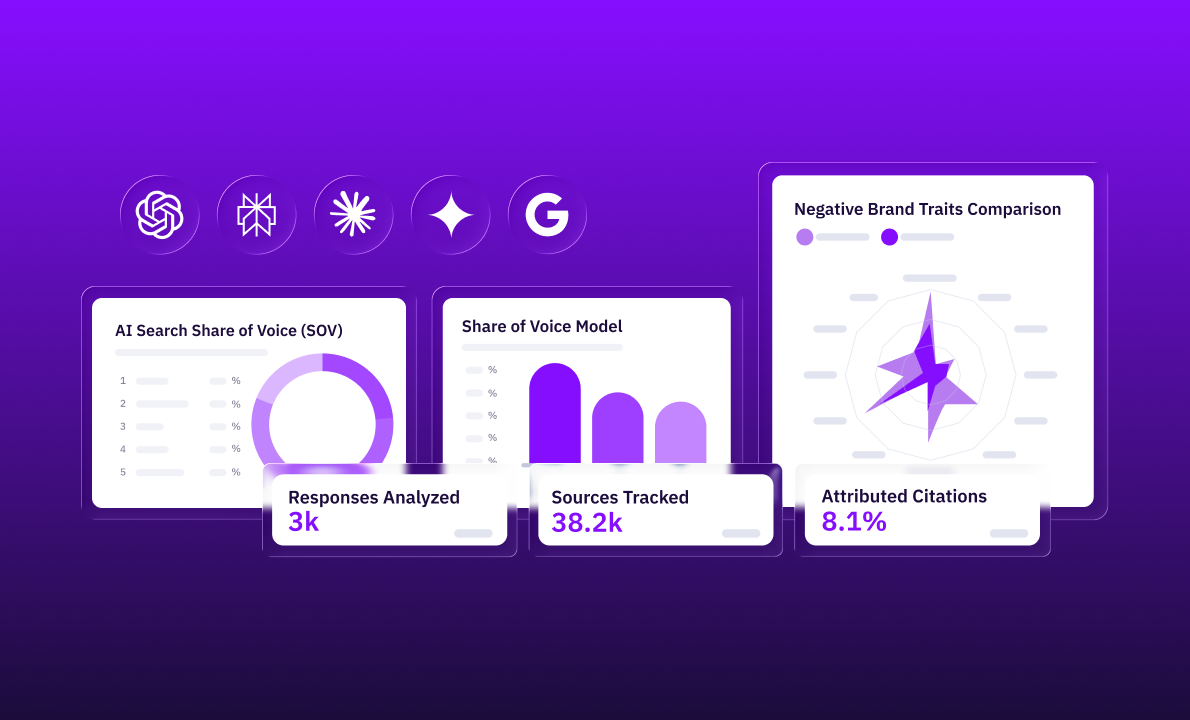
GEO Studio breaks your visibility score out per AI model — so you see one number for ChatGPT, another for Gemini, another for Copilot, and so on. Each model behaves different and will therefore “rank” you differently.
In the example account Christian showed, the brand appeared in 80% of Copilot and Google AI Overview responses but under 30% in AI Mode and Gemini. That was because Copilot and AI Overviews lean heavily on structured business data — listings, hours, categories — which the brand already had cleaned up. AI Mode and Gemini value page content and reviews more, which is where the gaps were.
So instead of trying to fix everything at once, Christian recommends looking at where you’re weakest and work on the signals that model cares about.
That same account had no deals page, and Christian attributed the weak results to that absence: “there’s not a single hub or repository where AI can go and find those deals to give it to the customer.”
If you run stores in several cities, track the same prompts city by city. Christian says local tracking is the most accurate way to follow them.
Fix Wrong AI Answers Before Shoppers Act on Them
Being recommended is Christian’s first goal, and his second is making sure the recommendation is correct. In Erez’s words, that’s because AI models “hallucinate a lot, and they get facts incorrect.”
In GEO Studio, Oracle monitors the responses AI gives about your brand and highlights discrepancies and incorrect information. Christian showed one where an AI tool said shipping takes three to five days while the retailer’s website said two to three.
A wrong shipping time matters because shoppers tend to click from the answer and go shop directly from the AI interface. The answer is the last thing they read before they decide whether to buy.
So, when AI gets something wrong, give it more to work with. Christian’s favorite fix is FAQs: “the more FAQs, the more superpowers you’re gonna give AI,” — and even three on a product page or a local page will make a difference, if you’re answering the questions customers want the answers to.
AI tools also check your claims against other websites and directories. Christian says AI validates what’s on your website against directories and social platforms, so a store’s hours and details need to match everywhere. In Uberall, you update a location’s hours or a holiday closing in one place and Listings pushes the change to the directories AI tools tend to check — such as Google Business Profile, Yelp, Bing, Apple Maps.
Erez’s reminder that good SEO is good GEO comes down to habits you already have, starting with keeping location data consistent across directories.
Test Your Deals Page Against One Real Prompt This Week
Ask yourself a question a customer might ask if they wanted to buy from you. Give yourself ten minutes to ask that same question in three AI tools, using your own best-selling product category and your own city, and write down which retailers each one lists.
Then compare every price and shipping time in the answers with your holiday deals page. Wherever a tool names a competitor and leaves you out, check whether your page lists that product with its sale price and end date in plain HTML. Wherever it states something wrong, fix the page or the product feed it came from first.


1,800 brands trust us to stay visible
— not just show up once or twice in local search.